
Finish the order, then finish the night
Choose a crew of 1–4, keep Tutorial on for your first run, and follow the register → grill → assembly → delivery loop. Collect the money and clear the trays after service. The next day starts only after the night jobs and Shift Clock are complete.
Set up a solo or crew run
- In the lobby, step onto a green queue pad at the Krusty Krab entrance to open Match Setup.
- Choose Crew Size 1 for solo, or the crew size you want up to 4. Set Friends Only if you want that restriction. The Roblox server’s lobby capacity is a separate number.
- Leave Tutorial on for the first run, then press Start. Your equipped class becomes your character for the shift.
- Follow Mr. Krabs and the yellow floor arrows on Day 1. Later openings use the wall Shift Clock. Give the tutorial its requested action before applying a later-day preparation routine.
Solo means covering every station yourself. In a crew, a useful division is register and delivery, kitchen preparation, and cleanup or emergencies. That is a practical way to divide the jobs; it does not make a particular character mandatory.
Take an order, build its tray and deliver it
- Take the ticket at the boat-shaped register. Read the customer’s order bubble. Check the burger ingredients, drink and side rather than guessing from the previous customer.
- Cook the required patty. Use the grill interaction and finish cooking it. Remove the cooked food promptly: leaving patties on the grill can start a fire.
- Use the Assembling Table. Follow the active order’s checklist. A plain Krabby Patty uses a bottom bun, a grilled patty and a top bun. Later orders can need toppings, drinks or sides, so the plain recipe is not every recipe.
- Check quantities before Ready. Add only what the ticket asks for. If you make a mistake, use Clear and rebuild the tray before sending it out. Press Ready when it matches.
- Pick up the finished tray from the service-window counter. Preparing a tray and delivering it are separate actions.
- Match the customer. Approach the correct table, check the green matching-order hint and use Deliver. A nearby customer can still be the wrong recipient.
CHALLS’s recorded first order demonstrates this preparation and delivery sequence. The green delivery check is also Ricoko’s specific advice for avoiding a misclick. Use the interaction prompts shown on your device; a keyboard binding from someone else’s recording may not apply to a controller or touchscreen.
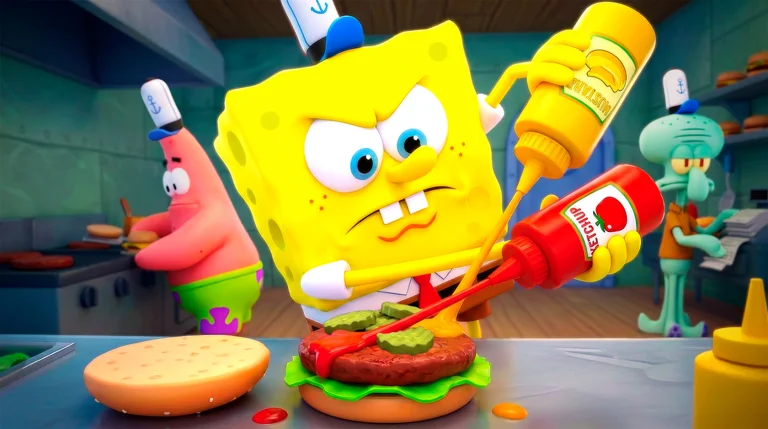
Prepare the stations you have unlocked
On later solo days, Ricoko recommends stocking at least 10 sodas and 10 meat before taking orders. This is the creator’s preparation buffer in a video marked version October 17, 2026. It is useful when running between the grill and register is causing delays.
It is not a Day 1 requirement. Soda arrives after the first day in the reported progression. Do not wait for a locked drink machine or fryer before completing the burger tutorial. Restock available stations during quieter moments, then return to the tickets.
Watch the fryer once Coral Bits unlock. SpongeBob’s automatic patty flipping helps the grill, but it does not protect fried sides from burning. Handle an active fire or formula theft before adding more orders to the backlog.
Everyone was served. Why is the day still running?
Check every table for money and tips. The first-day instruction asks you to collect all the money to end the day. Also remove the used trays and leftovers so seats are usable again. A tray marked Ready only proves preparation; the Shift Report is the signal that service ended.
- Check the day’s remaining customer objective and finish any outstanding orders.
- Collect cash and tips left at each table, and pick up dirty trays.
- Put dirty items and floor rubbish in a blue bin.
- If a finished diner has the smoky sleep or Z effect and keeps occupying a seat, use the available Kick Out prompt.
The recorded tutorial’s 2/2 customers, $10 and 14 XP are one run’s report, not a fixed payout for every class or shift. Tasks completed along the way can need a separate Claim action in the lobby.
Complete night cleanup before using the clock
After the Shift Report, work through the counters actually displayed. The recorded tutorial night shows 4 workstations, 2 spills and 2 tables, plus rubbish disposal. Those are example counts; use the current checklist when a later night differs.
- Get the mop from the maintenance or storage area and mop the marked spills.
- Clean the dirty workstations, including the grill, and wipe the required tables.
- Collect the ready bag from the indoor bin and take it to the rear green dumpster. The solo walkthrough describes reaching it by the outside ladder.
- Watch the Hash-Slinging Slasher warning while outside. Avoiding him still leaves the disposal job to finish.
- When every night counter is complete and the bag is disposed of, use the golden wall Shift Clock to begin the next day.
A base bin is reported to hold 10 items and show Bag is Ready / Take Out Trash when it needs emptying; capacity upgrades can change that. Ricoko suggests using one bin to shorten the rubbish route. This is an optional convenience, not a rule against using another bin.
If the calendar will not advance, look for an unfinished counter or bag before trying the clock again. The night-survival route adds Slasher and energy precautions.
Spend restaurant cash at the Night Shop
The walkthrough reports the food truck opening on Day 3, with Mr. Krabs covering the first Grill Capacity upgrade in that run. Later purchases use the restaurant $ earned through service. They do not use the lobby Doubloons saved for a class.
Recorded categories include station capacity, fryer or pouring speed, order preparation, mopping speed, energy restores and tools. Stock changes from night to night. Grill Capacity is described as a crew upgrade, while mopping perks are personal; read the item’s current description before buying.
If waiting for patties is the delay, capacity is relevant. If a threat or low energy is stopping the run, an available tool or restore can be more urgent. These are choices based on your visible bottleneck, rather than a fixed purchase order for every crew.
Can I leave a long run and rejoin it?
A player in Ricoko’s comments says a World lets you leave and rejoin, and locates the World button in the lobby. The reported path to inspect is: lobby → World → your existing world or run → rejoin, if the menu offers it. Selecting an existing entry is different from creating a new world.
This is an attributed player report. The discussion does not establish save timing, retention, host or crew restrictions, supported modes, or what survives a failed run. It also does not show that a normal queue run saves automatically. If no existing run appears, the material here cannot recover it.
Returning to a world and using the paid Passed Out revive are different actions. Do not buy an unrelated revive expecting it to restore an absent world.
Match the fix to the unfinished step
| What is stuck? | Next action |
|---|---|
| Daytime after the last order | Check unserved tickets, then cash, tips and trays on every table. |
| Night after the report | Finish the displayed cleanup counters and outside bag, then use the clock. |
| Wrong tray | Clear and rebuild from the ticket before Ready; check the green customer match. |
| No usable seat | Clear the tray or remove a finished sleeping diner. |
| Fire, villain or low energy | Handle the matching emergency before opening another order. |
Procedure sources were checked October 21, 2026: the community walkthroughs, CHALLS’s first-order recording, and Ricoko’s captions and player discussion. Read the gameplay notes or open the video sources. We did not perform an independent Roblox playtest.
This beginner guide cannot establish a World save schedule or restore a missing run; inspect the current World menu for an existing entry.