
Save the Krusty Krab Wiki & Guides
Keep the grill moving, the tables clear and the villains out. Get through your next shift in Krabby Krew’s restaurant survival game.
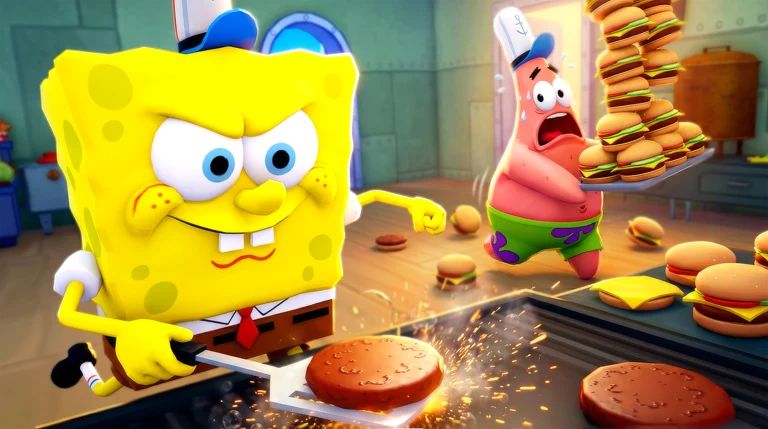
Step on a green queue pad at the restaurant. Choose a crew size of 1–4 in Match Setup, keep Tutorial on for a first run, then press Start. Open the official game ↗
From the first ticket
to the next morning.
Your job continues after the food leaves the kitchen. Money collection and night chores are part of finishing the shift.
Clock in
Use the Shift Clock to start the day. On your first run, keep Tutorial on and follow Mr. Krabs’ station prompts.
Take the ticket
Use the boat-shaped register to take an order. Read what that customer actually wants before building a tray.
Cook, then assemble
Watch the grill so the patty doesn’t burn. A basic burger is bottom bun, grilled patty, top bun; follow each ticket’s extra ingredients and press Ready.
Match the customer
Pick up the finished tray at the service window. Deliver to its matching order bubble; the green highlight confirms the match.
Clear up & collect
Bus the used tray, put rubbish in a bin, and collect the money. The final tip can be what’s keeping the day open.
Finish the night
After the Shift Report, complete the cleanup counters and empty the trash. Punch the wall clock again to advance.
Need every station and unlock? Follow the full beginner walkthrough → · Gameplay sources
What’s holding you up?
Find the state you can see on screen, make the next move, then return to the service loop.
Everyone ate, but the day won’t end
Check every table for uncollected money and used trays. Serving the final order alone doesn’t finish the day.
End the dayCleanup is done, but tomorrow won’t start
Read the nightly counters for missed spills, workstations and tables; take out the bag, then use the Shift Clock.
Night checklistThere are too many orders to handle
Stop adding register tickets for a moment and rebuild cooked stock. The ten-patty / ten-soda target is one solo guide’s later-day suggestion, once soda is unlocked.
Prep & crew jobsA tray won’t go to this customer
Match the requested items and green order highlight. Fix an incorrect build with Clear at the assembly table rather than forcing the wrong delivery.
Order walkthroughA new customer can’t find a seat
Clear used trays to make tables available. If a finished diner shows smoke or floating Zs, use the available Kick Out prompt to free the seat.
Clear the dining roomA fire or villain interrupts service
Deal with the immediate threat before taking more tickets. Use an extinguisher for a fire; chase Plankton while avoiding his traps.
Find the counterThe Doubloon balance hasn’t moved
Return to the lobby, open Tasks and press Claim on completed objectives. Restaurant cash and Doubloons are different currencies.
Claim rewardsThese priorities are editorial advice based on the linked gameplay guides, rather than a claim of our own game testing.
Cash keeps the run going.
Doubloons unlock your crew.
Restaurant cash
Earned from serving and collecting customer payments during a run. Spend it on restaurant improvements and changing Night Shop stock.
- Grill and station capacity help the current crew.
- Tools, energy items and personal perks solve different problems.
- A cash balance is not your class-unlock balance.
Lobby Doubloons
The separate currency for classes and skins. Completing a task is only half the job: open Tasks in the lobby and claim the reward.
- Jim’s reported unlock costs 150 Doubloons.
- SpongeBob’s listed unlock costs 2,500 Doubloons.
- Robux packs and occasional Night Shop packs have their own listed amounts.
Your bottleneck matters more than a universal tier: Jim speeds grilling, Mr. Krabs boosts crew cash, and Gary brings revive support. Compare their actual perks and costs →
Stop the emergency.
Then take the next order.
Plankton
Chase and catch him before he escapes. Watch for the bear traps he leaves on the floor; a tutorial rescue doesn’t mean later shifts handle him for you.
A grill or fryer fire
Grab a fire extinguisher from a dining-room pillar. Auto-flipping SpongeBob helps with patties, but doesn’t make an unattended fryer safe.
Low energy
Use a Kelp Shake or an available restore before the meter hits 0%. Sprinting, chores and villain hits all make energy management matter.
Dirty Bubble
Use a mop or a water gun until he pops. Faster mopping helps this threat; it doesn’t turn a mop into a counter for every villain.
Man Ray
Use an extinguisher or Orb of Confusion, then repair damaged equipment and tables. The documented counter is different from Dirty Bubble’s.
The Slasher
Watch the warning near the outside dumpster and avoid him while finishing rubbish disposal. Night danger doesn’t remove the cleanup requirement.
Counters come from dated community walkthroughs. Respond to the current alert; appearances and available items can change. Read the source boundaries →
A guide for the part
you’re working on.
Full procedures and comparisons live on their own pages, so you can return directly to the answer you need.
Match setup, a complete meal, unlocks by day, solo prep and the nightly cleanup route.
All ten class roles, listed costs, bonus items and choices for cooking, cash or emergency support.
The Claim step, reward categories, class savings examples and the listed Robux packs.
Villain counters, the Health Inspector, night dangers, fire control and energy recovery.
What’s actually supported, why copied SpongeBob codes are unreliable, and where to check next.
Sources checked October 21, 2026. Official description, dated walkthroughs and inspected video are distinguished in our sources & credits. In-game menus take precedence when a price or task changes.